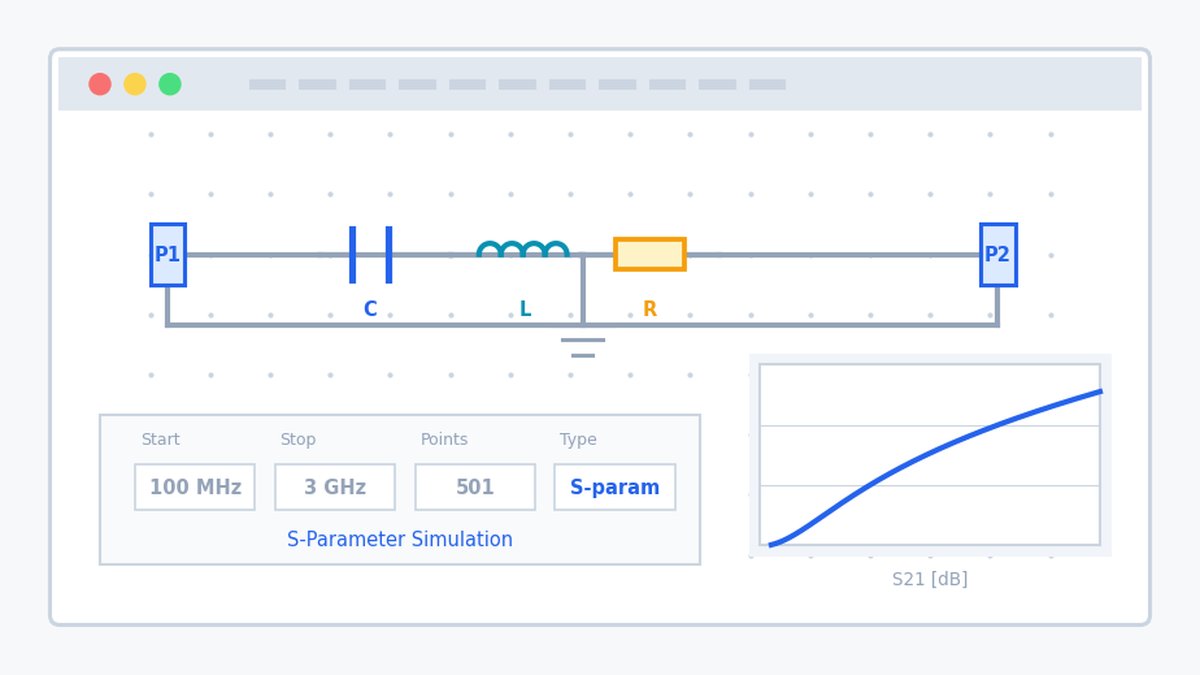
uSimmics, formerly known as QucsStudio, is a powerful circuit simulator that can be used for free. This tool, once widely known as QucsStudio, was renamed uSimmics starting with version 5.8, released in November 2024. If you have ever wondered, “Why does uSimmics appear when I search for QucsStudio?” or “Why has the name changed on the download page?”, this article explains the background of the name change, what has changed, and the current development status.
What You Will Learn in This Article
- What uSimmics, formerly QucsStudio, is and who develops it
- The two reasons why QucsStudio was renamed uSimmics
- Whether the name change affects functions or operation
- Compatibility with old version 4.x files and how to convert them
- How uSimmics is positioned among the Qucs family, including Qucs-S and Qucs Original
What Is uSimmics?
uSimmics, pronounced “you-sim-mix,” is a free circuit simulator developed and maintained personally by Michael Margraf (DD6UM). It is based on the Qucs (Quite Universal Circuit Simulator) project but has been developed independently and includes its own simulation engine.
It supports a wide range of applications, from analog and RF design to digital circuits and system simulation. Features such as S-parameter analysis, harmonic balance, electromagnetic field simulation (FDTD), and KiCad integration can be used for free, even though they are powerful enough for professional use.
No installation is required. You only need to extract the ZIP file and run the executable file. This easy-to-use style has remained unchanged since the QucsStudio era.
Why Did QucsStudio Change Its Name to uSimmics?
According to the official FAQ, there are two main reasons for the name change.
1. To avoid confusion with other similarly named projects
There are several Qucs-related projects, including Qucs Original, Qucs-S, and QucsStudio. Although they are developed by different people and follow different development policies, their similar names often caused confusion. By changing the name to uSimmics, the project became clearly distinguishable from other Qucs-related projects.
2. To solve the pronunciation issue
“Qucs” is correctly pronounced as “kjuks,” but the pronunciation is not obvious from the spelling. This could make the tool feel slightly difficult to approach, especially for non-native English speakers. The new name, “uSimmics,” is easier to pronounce and helps remove this small barrier.
For these reasons, the transition from QucsStudio to uSimmics was made together with the release of version 5.8 in November 2024.
Are There Any Changes in Functions or Operation?
Although the name has changed, the basic operation and workflow have not changed.
The basic process of drawing a schematic and running a simulation is the same. The procedures for each type of analysis and the tutorials explained on this blog can still be applied to uSimmics.
Version 5.8 was a major release and included many new features, improvements, and bug fixes. In other words, it was not only a name change but also a major functional update.
Position of uSimmics in the Qucs Family
There are several Qucs-related tools, but each one has a different development policy.
| Tool | Features | Update Status |
|---|---|---|
| Qucs Original | The original open-source version | Practically stopped, with the latest version released in 2017 |
| Qucs-S | Focused on integration with SPICE engines | Updated occasionally |
| uSimmics, formerly QucsStudio | Strong in RF and high-frequency design, with the richest feature set | Actively updated |
Qucs Original was developed as a general-purpose simulator with SPICE compatibility, but its development has almost stopped. Qucs-S is a fork focused on connecting with SPICE engines such as Ngspice, making it suitable when you want to use existing SPICE model assets.
uSimmics, formerly QucsStudio, stands out in areas such as RF and high-frequency design, electromagnetic field simulation, and system simulation. Among the Qucs family, it offers the richest set of functions. For a more detailed comparison of these three tools, please also see What Is Qucs-S? Differences from LTspice and uSimmics Explained [2026 Edition].
How to Use Old QucsStudio Files in uSimmics
uSimmics 5.8 and later cannot directly open schematic files created with QucsStudio version 4.x or earlier.
In this case, you need to convert the files using QucsStudio 3.3.3-light. The procedure is simple: open the old file with version 3.3.3-light and save it again. After saving, the file can be opened normally with uSimmics 5.9.
QucsStudio 3.3.3-light is available from the official download page. It is provided as a minimal version for conversion purposes and is not intended for normal simulation work.
Current and Future Development Status
uSimmics, formerly QucsStudio, is a personal project developed by Michael Margraf. Its development resources are supported by supporters and donations, so new version releases do not follow a fixed schedule.
However, development has continued steadily, with version 5.8 released in November 2024 and version 5.9 released in January 2026. The official FAQ clearly states that uSimmics will continue to be provided free of charge and that there are no plans to make it open source. For the time being, development is expected to continue in its current form.
As of 2026, uSimmics remains the most actively updated tool among the Qucs family.
Summary
- QucsStudio was renamed uSimmics starting with version 5.8, released in November 2024.
- The two reasons for the name change are to avoid confusion with other Qucs-related projects and to solve the pronunciation issue.
- The basic operation and functions remain the same. Version 5.8 was a major release with many improvements.
- Files created with version 4.x or earlier need to be converted using QucsStudio 3.3.3-light.
- Although it is a personal project, development is still continuing. The tool will continue to be provided for free.
All tutorials on this blog are compatible with uSimmics, formerly QucsStudio. If you have not installed it yet, please start with the installation guide.
Related Articles
- How to Install uSimmics, formerly QucsStudio [2026 Edition]
- LTspice vs uSimmics, formerly QucsStudio: Differences and Comparison [2026 Edition]
- What Is Qucs-S? Differences from LTspice and uSimmics Explained [2026 Edition]
- uSimmics, formerly QucsStudio, Basic Operation Tutorial Part 1 [2026 Edition]
- Roadmap to Mastering uSimmics: Course List by Purpose
Comment