Basics

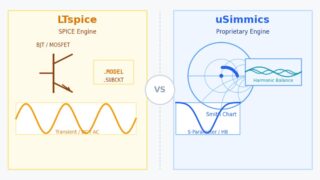
LTspice vs. uSimmics (formerly QucsStudio): Which Should You Use? [2026]

LTspice vs. uSimmics (formerly QucsStudio): a comparison of simulation engines, features and use cases. RF and high-frequency work: uSimmics. Analog and power design: LTspice. 2026 guide.
Noise Design & EMC

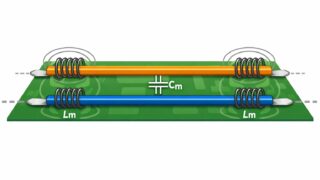
What Is Crosstalk? Understanding Parasitic Coupling in PCB Traces

Crosstalk is an unavoidable effect in high-speed PCB design. This article explains crosstalk at the circuit level, focusing on parasitic capacitive and inductive coupling that do not appear in schematics.
Noise Design & EMC

Why Ferrite Beads Work: Damping Ringing with Loss (uSimmics Waveforms)

Learn why ferrite beads reduce ringing: it’s loss, not “inductance.” Compare ideal L, ideal R, and a real bead (.s2p) in uSimmics.
Noise Design & EMC

What Is Ringing? Understanding Jagged Oscillations with uSimmics

Learn what ringing is in high-speed digital circuits.This article explains LC resonance and damping using a minimal circuit and transient analysis in uSimmics, with clear waveform examples.
Noise Design & EMC

Understanding Signal Reflection in High-Speed Digital Circuits

Learn what signal reflection is in high-speed digital circuits.This beginner-friendly guide explains impedance mismatch, transmission lines, and waveform steps using a simple uSimmics simulation.
Noise Design & EMC

Noise Mitigation Basics with uSimmics: Source → Path → Victim

Learn a simple noise/EMC framework: Source → Path → Victim. See how parasitics (L/C/R) change waveforms in uSimmics, including ground bounce and crosstalk. Understand what decoupling caps, ferrite beads, and solid ground planes really do.
Basics

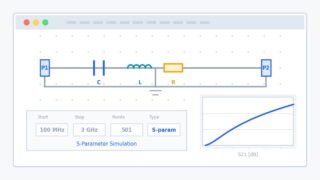
uSimmics(ex QucsStudio): Overview and How to Use This Free Circuit Simulator

QucsStudio has been renamed to uSimmics (formerly QucsStudio). Learn why the name changed, what’s different, how it compares with Qucs, and how to use key features like S-parameters, harmonic balance, tuning, and Monte Carlo analysis.
Basics

QucsStudio / uSimmics Install Guide: Download & Setup [Windows]

Step-by-step Windows guide to install uSimmics (formerly QucsStudio). Download the ZIP, extract it, start with start.bat, and find uSimmics.exe in /bin.
Basics

uSimmics (formerly QucsStudio) Initial Setup Guide: Optimizing Your Simulation Workflow [2026]

A complete guide to setting up QucsStudio! Learn how to optimize Document Settings and Application Settings for a more efficient simulation workflow. Perfect for beginners looking to quickly configure their environment.
Basics

How to Change the Project Folder Location in uSimmics (formerly QucsStudio) [2026]

Learn how to easily change the project folder location in QucsStudio. This guide provides step-by-step instructions to customize the project folder path using shortcuts. Perfect for beginners to organize their simulation files effectively.