Category: Tools

  • Calculating the Characteristic Impedance of Strip Lines Using QucsStudio

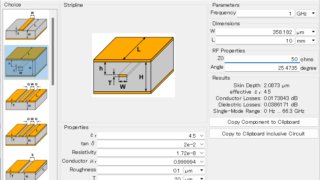
    Calculating the Characteristic Impedance of Strip Lines Using QucsStudio

    One of the critical factors affecting the quality of signal transmission in PCB design is the characteristic impedance. This is especially crucial in internal transmission lines like striplines, where accurate calculation and management of their characteristic impedance are essential. This article provides a step-by-step guide on calculating the characteristic impedance of striplines using QucsStudio. 1.…

  • Calculating the Characteristic Impedance of Microstrip Lines Using QucsStudio

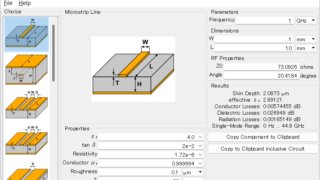
    Calculating the Characteristic Impedance of Microstrip Lines Using QucsStudio

    In the world of PCB design, proper management of characteristic impedance is crucial for the quality of signal transmission. This article explains the basics of characteristic impedance, its importance, and how to calculate it using QucsStudio. 1. The Concept of Characteristic Impedance Characteristic impedance refers to the “ratio of voltage to current” in electrical signal…

  • Creating User Models in QucsStudio

    Creating User Models in QucsStudio

    Steps for Creating Models In QucsStudio, there are three main approaches to model creation: equation components, VerilogA models, and C++ models. Each of these has its own characteristics and advantages while sharing the common goal of building accurate simulation models. 1. Equation ComponentsEquation components are very suitable for defining the behavior of components using simple…

  • How to Use the Create Matching Circuit Tool in QucsStudio

    How to Use the Create Matching Circuit Tool in QucsStudio

    How to Create a Matching Circuit in Qucs Studio: A Detailed Explanation for Port 1 1. Creating the Circuit Diagram This completes the circuit with an output impedance of 50Ω and a load impedance of 25Ω. 2. Designing the Matching Circuit Let’s match this mismatched circuit. 3. Checking the Circuit 4. Running the Simulation Then…

  • How to Use Qucsattenuator in QucsStudio

    How to Use Qucsattenuator in QucsStudio

    How to Use Qucsattenuator.exe and Create an Attenuator Qucsattenuator.exe is an attenuator synthesis tool in Qucs, offering a convenient way to design attenuators easily. This article introduces how to launch Qucsattenuator, provides usage examples, and explains how to paste simulation results into Qucs. Starting and Using Qucsattenuator Pasting Simulation Results into Qucs Specific Example of…

  • How to Use the Transmission Line Calculator in QucsStudio

    How to Use the Transmission Line Calculator in QucsStudio

    The Transmission Line Calculator within QucsStudio is an incredibly useful tool for computing the characteristic impedance of transmission lines in electronic circuit design. In this article, we’ll explain how to calculate the characteristic impedance of a microstrip line using actual values. Step 1: Launching QucsStudio and Selecting the Tool First, launch QucsStudio and select ‘Line…

  • How to Use Filter Synthesis in QucsStudio

    How to Use Filter Synthesis in QucsStudio

    Introduction Qucs Studio is a powerful tool for electronic circuit design. In this article, we will detail how to design a low-pass filter using the Filter Synthesis feature of Qucs Studio. Step 1: Starting Filter Synthesis Step 2: Setting Parameters Define the type and characteristics of the filter: Step 3: Generating the Circuit Step 4:…